
Where Can You Provide Liquidity for Tokenized Stocks?
Comparison Last verified 2026-10-19 6 min read
The practical answer depends on the stock token and network you already use. A pool for an xStocks token on Solana cannot accept an Ondo token on Ethereum, even when both products refer to the same company.
DeGate Turbo Range provides one Ethereum LP route for eligible Ondo stock/USDC positions. The user follows the same setup regardless of the underlying pool state. An external AMM may provide another route for a different token or network, but those pools are not interchangeable.
Start with the token you hold
Imagine that you hold AAPLon, an Ondo token linked to Apple on Ethereum. Searching for any pool named “Apple” is too broad. A usable pool must accept that exact AAPLon contract on Ethereum and pair it with the asset shown by the pool.
Check these four details first:
- issuer and full token name
- network
- stock-token contract address
- paired-asset contract address
DeGate Token Info can help identify the issuer, network, and contract. The issuer’s official asset list remains the place to confirm that the contract is genuine.
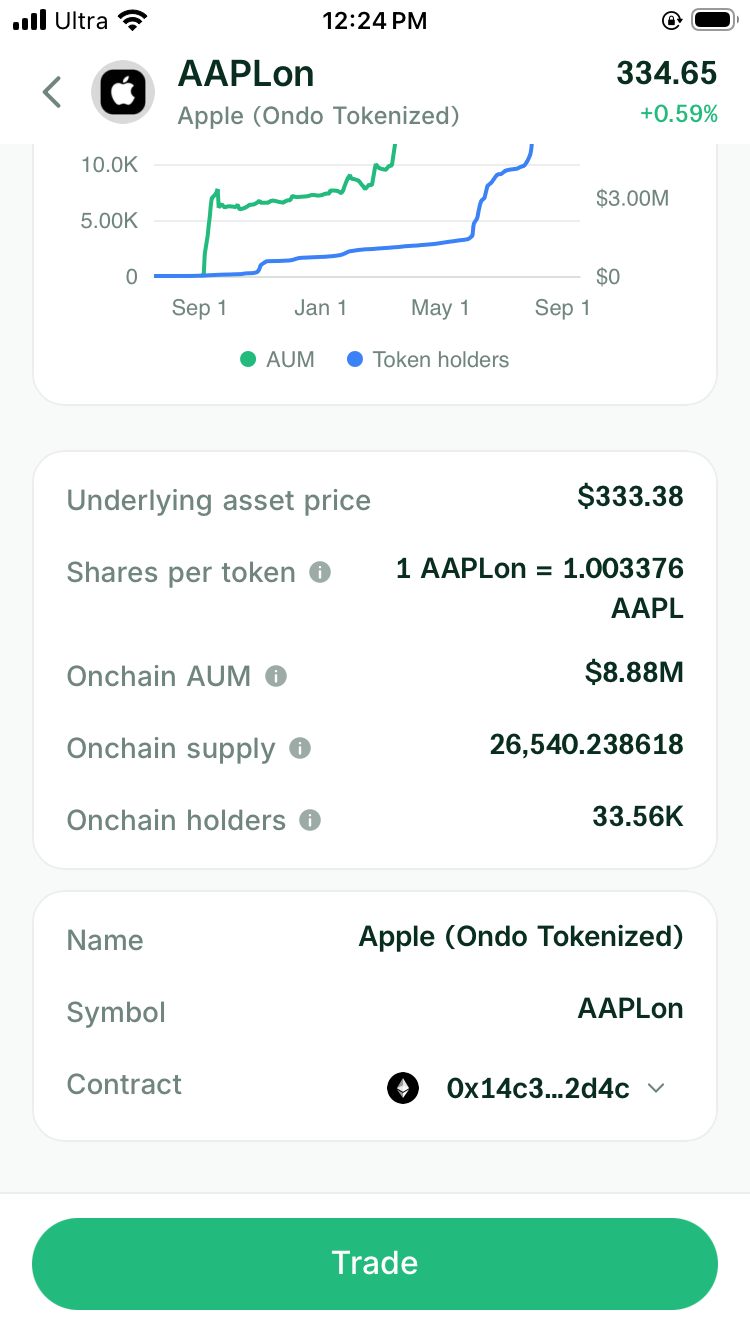
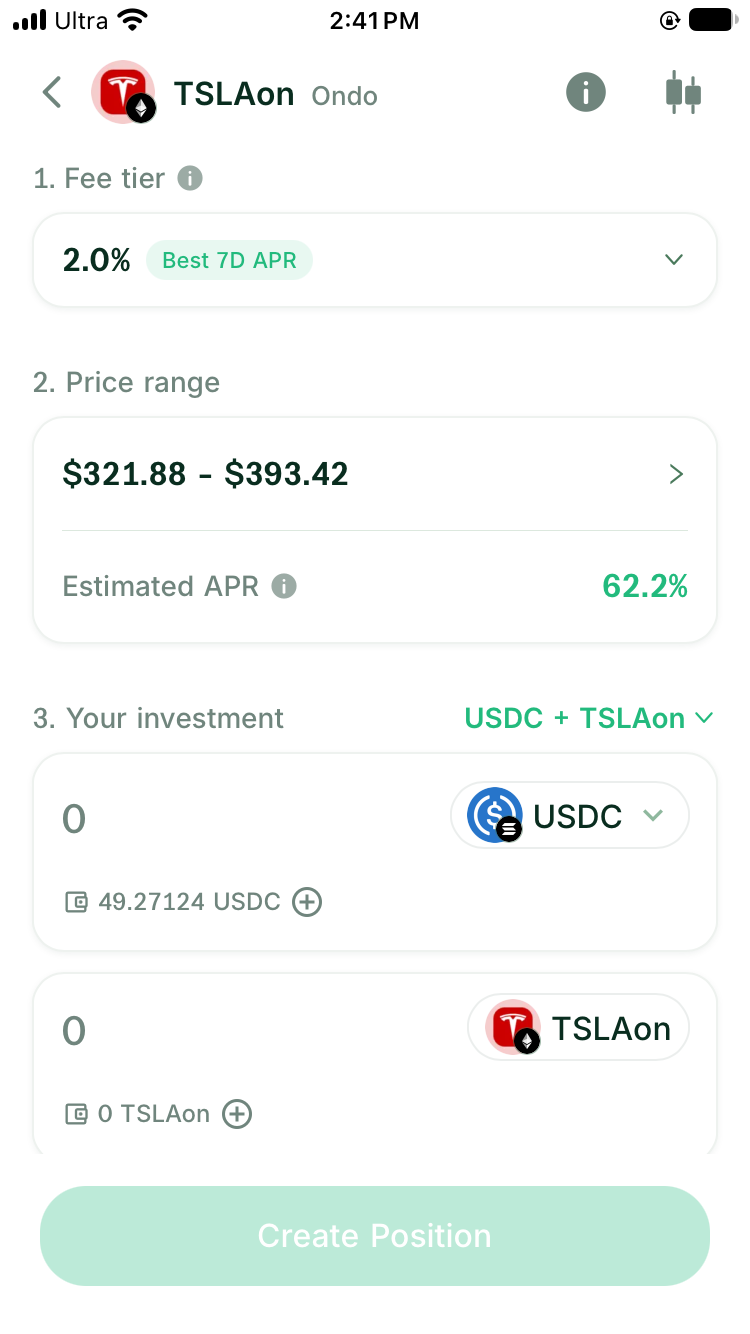
The Turbo Range screenshots later in this guide use TSLAon/USDC on Ethereum. They show the current setup for an eligible Ondo asset and do not establish LP support for every stock token visible in Trade.
Check the LP route for the exact asset
Open Turbo Range and search for the exact stock token. A visible stock page or executable swap quote does not by itself establish LP support. The setup must identify an eligible Ondo asset on Ethereum. Turbo Range presents the same setup page and handles the required pool state when the position is submitted.
For an external protocol, start from the protocol’s official interface and verify both contracts. Avoid selecting a pool by ticker or logo alone. A similar name can refer to a different issuer or network.
Before depositing, inspect the activity fields that are available for the selected position:
- paired asset
- current liquidity
- recent trading activity
- selected price range
- historical yield or backtest window
- how to claim and close
A pool can exist and still have little activity. Look at actual liquidity and trades before treating a displayed annualized estimate as income you are likely to receive.
Compare places by the task they complete
| Route | Token and network | What the user can do | Best fit | Check before depositing |
|---|---|---|---|---|
| DeGate Turbo Range | Eligible Ondo stock/USDC positions on Ethereum | Select a fee tier and range, fund from one or both assets, then monitor, claim, and close from the wallet | Users who want stock trading and LP management in one self-custody wallet | Exact token, quote, fee tier, range, historical estimate, network fee, pool activity, and exit assets |
| Direct AMM access | The exact token and network accepted by that AMM | Use the protocol’s own pool and position interface | Experienced LPs who already know the contract and venue | Official pool address, token standard, depth, range mechanics, fee tier, and closing flow |
| Wallet or swap aggregator | Assets with an executable swap route | Buy or sell through available liquidity | Users who need a trade rather than an LP position | Whether the product offers LP deposits and withdrawals or only routes swaps |
Choose the route that accepts your exact asset and lets you complete your planned deposit, management, and exit steps.
Read the position before you deposit
For a stock-token range position, focus on five questions:
- Which stock token and paired-asset contracts enter the pool?
- What minimum and maximum stock price does the range cover?
- What will the position hold near each end of the range?
- How much recent liquidity and trading activity does the pool have?
- What assets will return to the wallet when you claim fees or close?
The historical estimate is not a fixed rate. A busy period can make it look high, while a quiet pool may earn little. Compare the fee result with the changing stock-token and stablecoin mix.
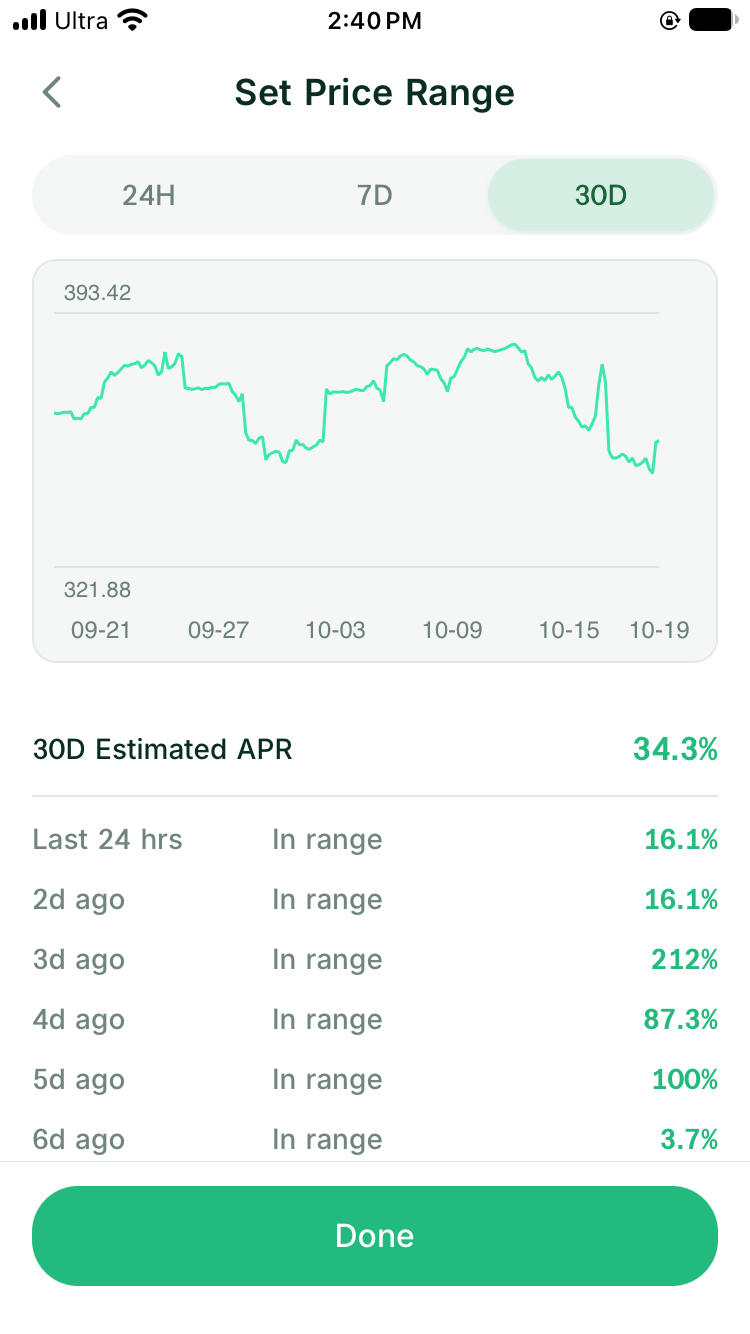
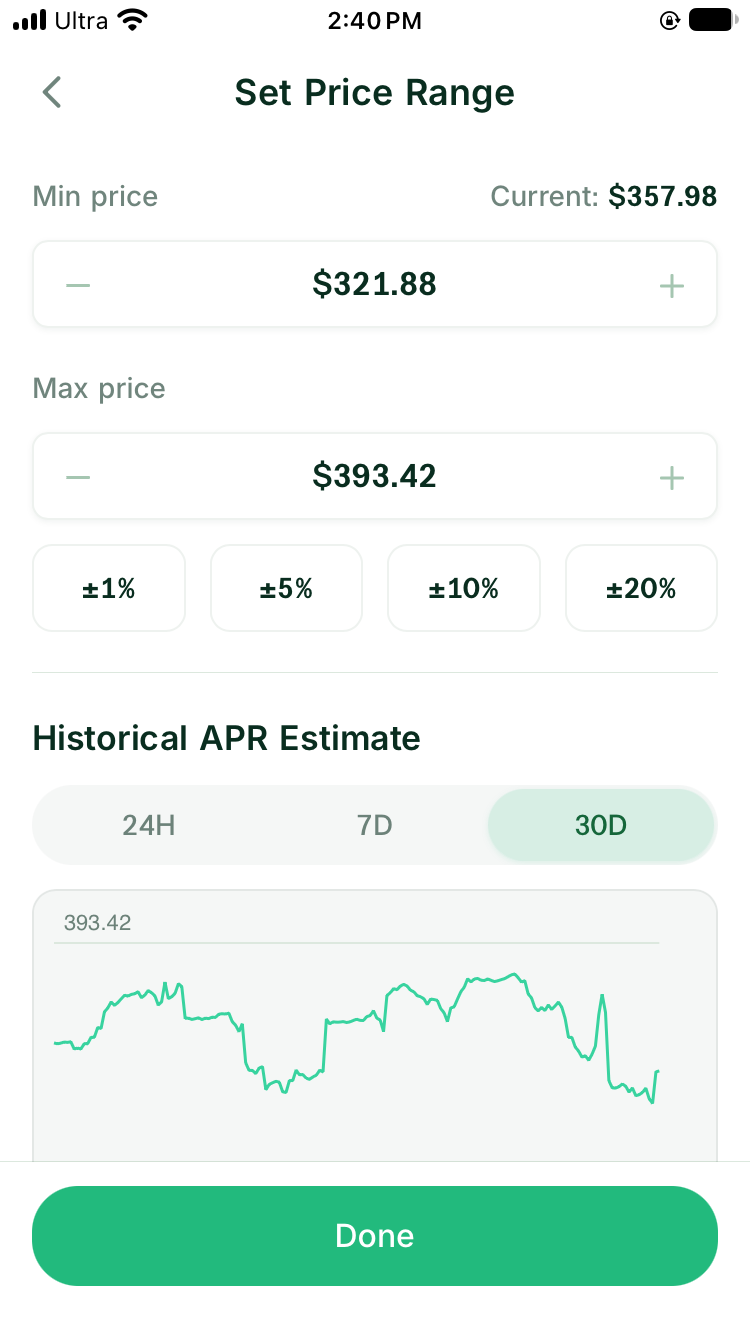
Open a supported LP position in Turbo Range
For an eligible asset currently listed in Turbo Range:
- Open Turbo Range and select the exact stock-token pair.
- Confirm the token, network, paired asset, and available pool information.
- Enter one asset if you want Turbo Range to estimate the required auto-swap, or enter both pool assets if you already hold them. For USDC, select one source network for the current submission; it may differ from the stock token’s network, but balances from several networks are not combined automatically.
- Set the price range only after understanding which asset you may hold at either boundary.
- Read the review screen, including the input amount or amounts, selected range, and network cost.
- After confirming, monitor the range, accumulated fees, and current asset mix from the wallet.
One-sided funding can remove the need for a separate manual purchase when the current preview can prepare the required assets. It does not guarantee that every stock token or amount has an available LP route.
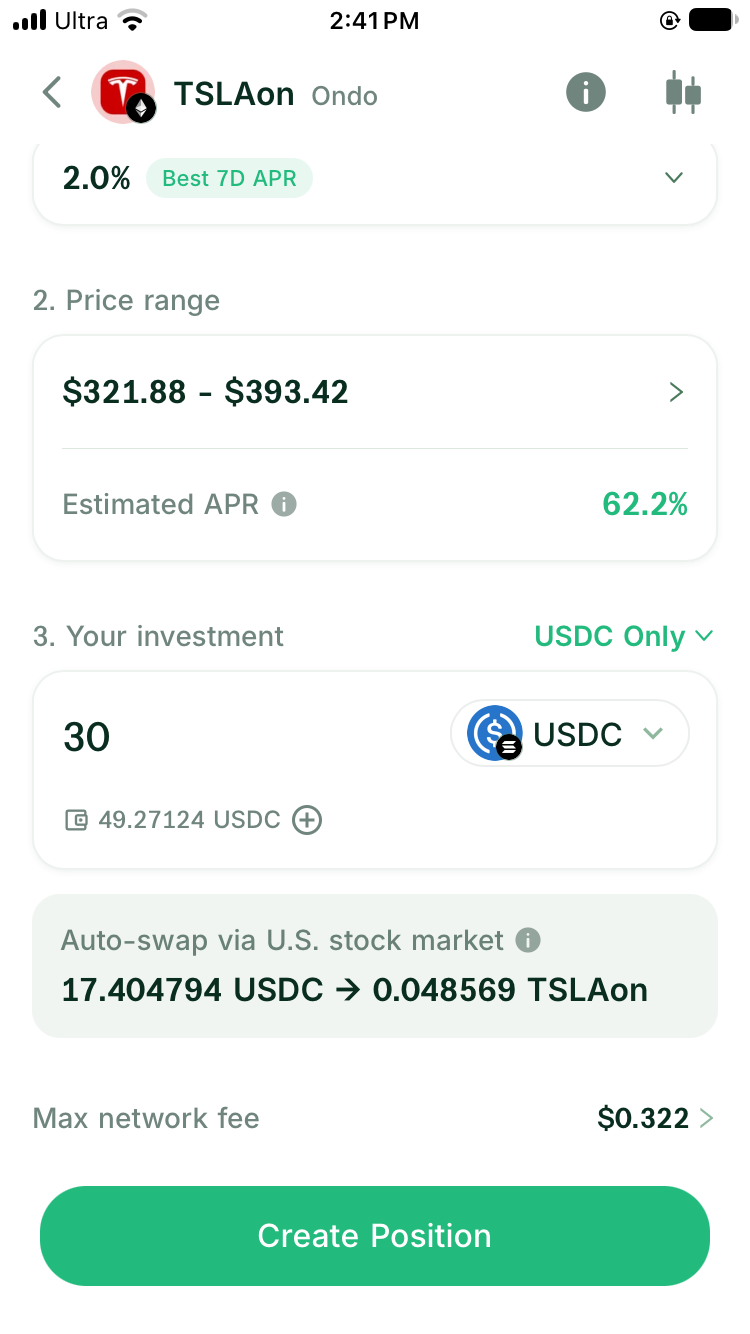
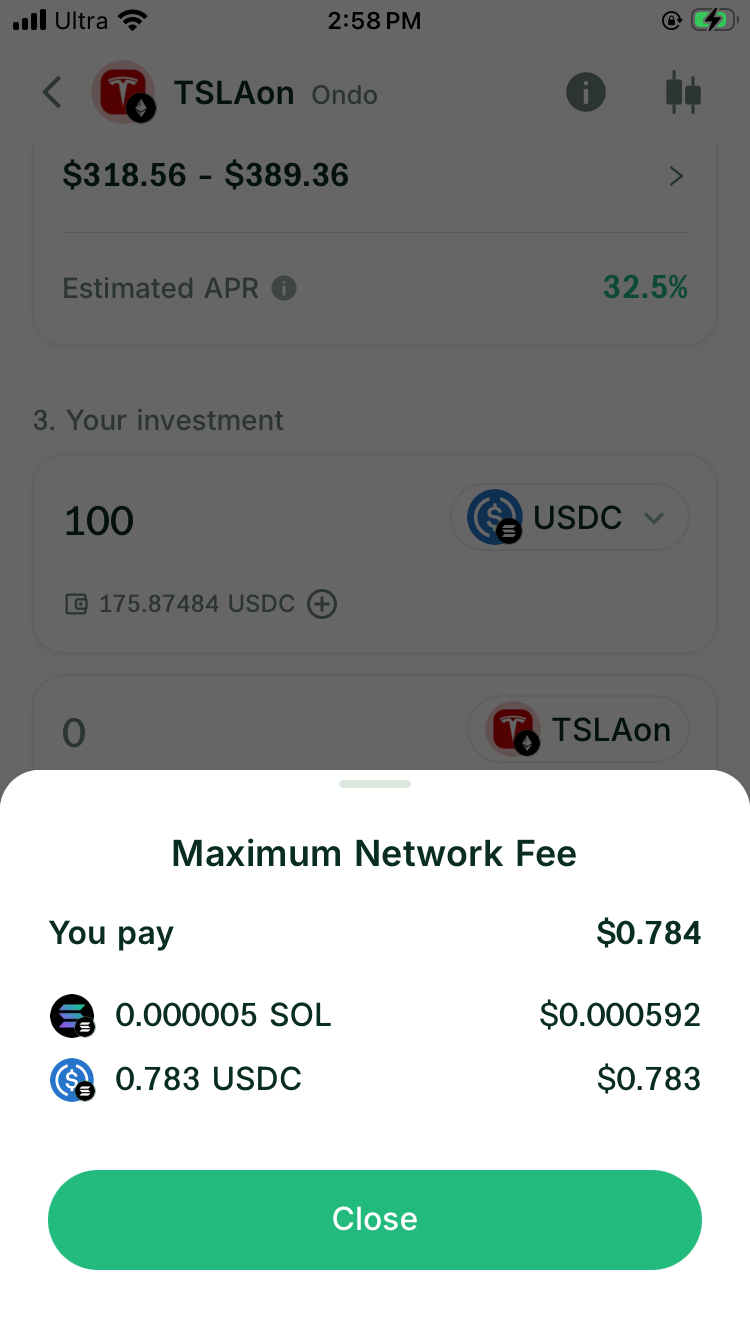
Before creating the position, open the maximum network fee details and check which assets pay that estimate. The displayed amount is a maximum for the current action, not a fixed LP charge.
FAQ
Can every stock token be used in a DeGate LP?
No. Trading and LP eligibility are separate. Turbo Range must support the exact Ondo asset on Ethereum, and a usable preview must be available for the selected amount. The product handles any required pool initialization within the same position flow.
Does Turbo Range ask me to choose between joining and creating a pool?
No. Eligible Ondo assets use the same stock/USDC position flow. The product handles the underlying pool state when the position is submitted.
Can I use an xStocks token in an Ondo pool?
No. They are separate contracts issued under different programs. Use a pool that accepts the exact token and network shown in your wallet.
Does a listed pool guarantee useful yield?
No. Fee income depends on actual swaps, active liquidity, and the selected price range. Check current activity and evaluate the resulting asset mix as well as the displayed estimate.
Sources
Facts on this page were last verified on October 19, 2026. Product capabilities, supported assets, and fees can change; the linked sources are the current record.