
How to Open Your First Tokenized-Stock LP Position
Task guide Last verified 2026-10-19 8 min read
The hardest part of a first stock LP is often the set of choices before confirmation: which stock token to use, which fee tier to select, how wide to make the price range, and whether to fund it from one asset or two.
DeGate Turbo Range puts those decisions in one position-opening flow. You can begin with USDC alone or use stock tokens and USDC already in your wallet. Before submission, Review Investment shows the original input. When an auto-swap occurs, After auto-swap also shows the estimated stock-token and USDC amounts after the conversion.
Keep one outcome in mind. A stock LP does not hold a fixed number of shares after it opens. As traders swap inside your range, the balance between the stock token and USDC changes. You should be comfortable ending up with more of either asset.
Prepare before you start
Turbo Range currently covers eligible Ondo stock tokens on Ethereum that DeGate Trade supports, paired with USDC. Follow the live asset list shown in Turbo Range.
You do not have to buy the stock token on the Swap screen first. If you hold only USDC, enter one asset and let the position flow prepare the required stock-token side. If you already hold the stock token and USDC, enter both assets.
Before opening the flow, confirm that:
- your wallet has the USDC you want to deposit, or the stock token and USDC
- your wallet has enough supported assets to cover the network fee shown in the preview; where gas sponsorship applies, you do not need to prepare ETH in a separate step
- you understand who issues the stock token and would accept either asset that the range may leave you holding
If you have not reviewed those points, start with How to Evaluate a Tokenized-Stock LP Before You Deposit.
Step 1: Select the stock token
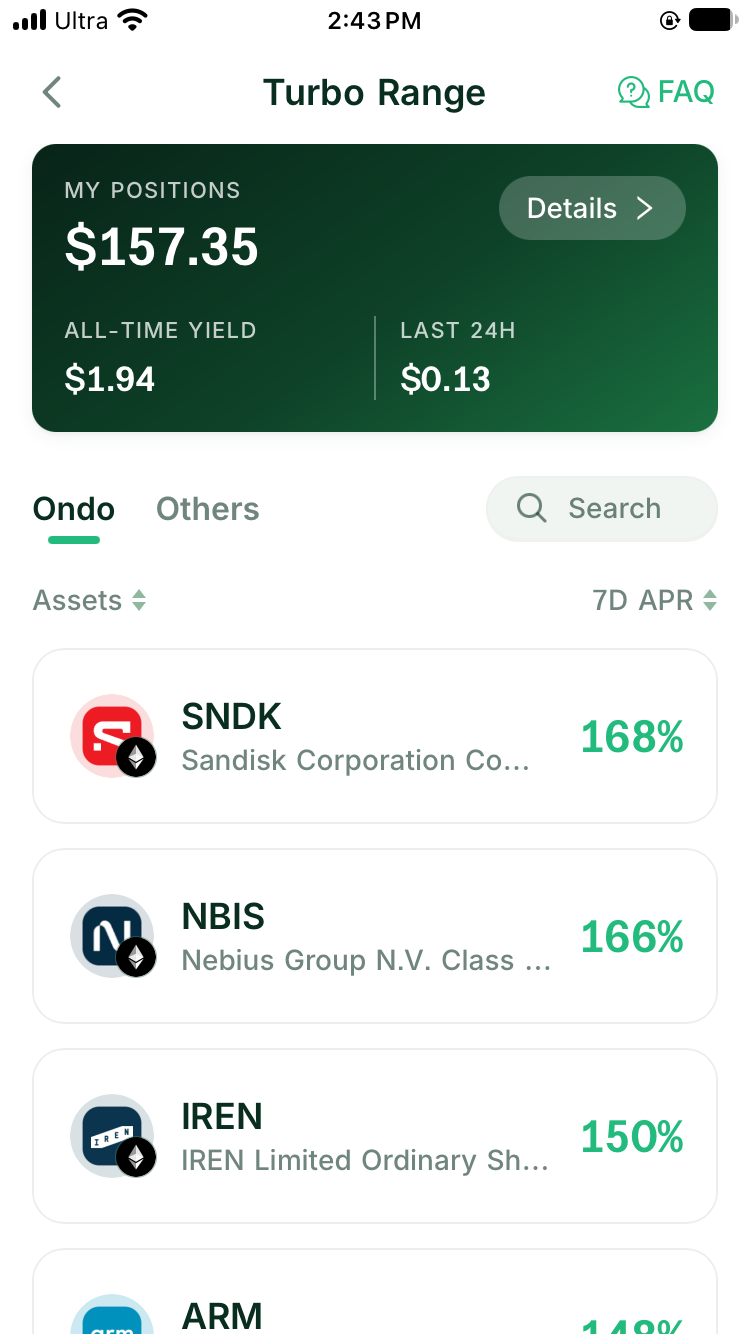
Open Turbo Range in DeGate and select the Ondo stock token from the supported list. Check the full token name, Ethereum network, and contract address rather than relying on the stock ticker.
The asset opens the same setup flow regardless of the underlying pool state. Turbo Range does not ask you to choose between joining and creating a pool. When activity data is available, use it as additional context before depositing.
Step 2: Choose the fee tier
The fee tier sets the percentage that traders pay when they swap through this pool. When your position is active around the trade price, it receives its share of LP fees under the pool rules.
A higher tier collects more from each trade and makes that route more expensive. A lower tier collects less per trade; the lower trading cost may attract more order flow. Compare the liquidity and recent activity for the same pair at each tier instead of choosing the largest percentage on the screen.
How to Choose a Fee Tier for a Tokenized-Stock LP covers that decision in detail.
Step 3: Set the price range
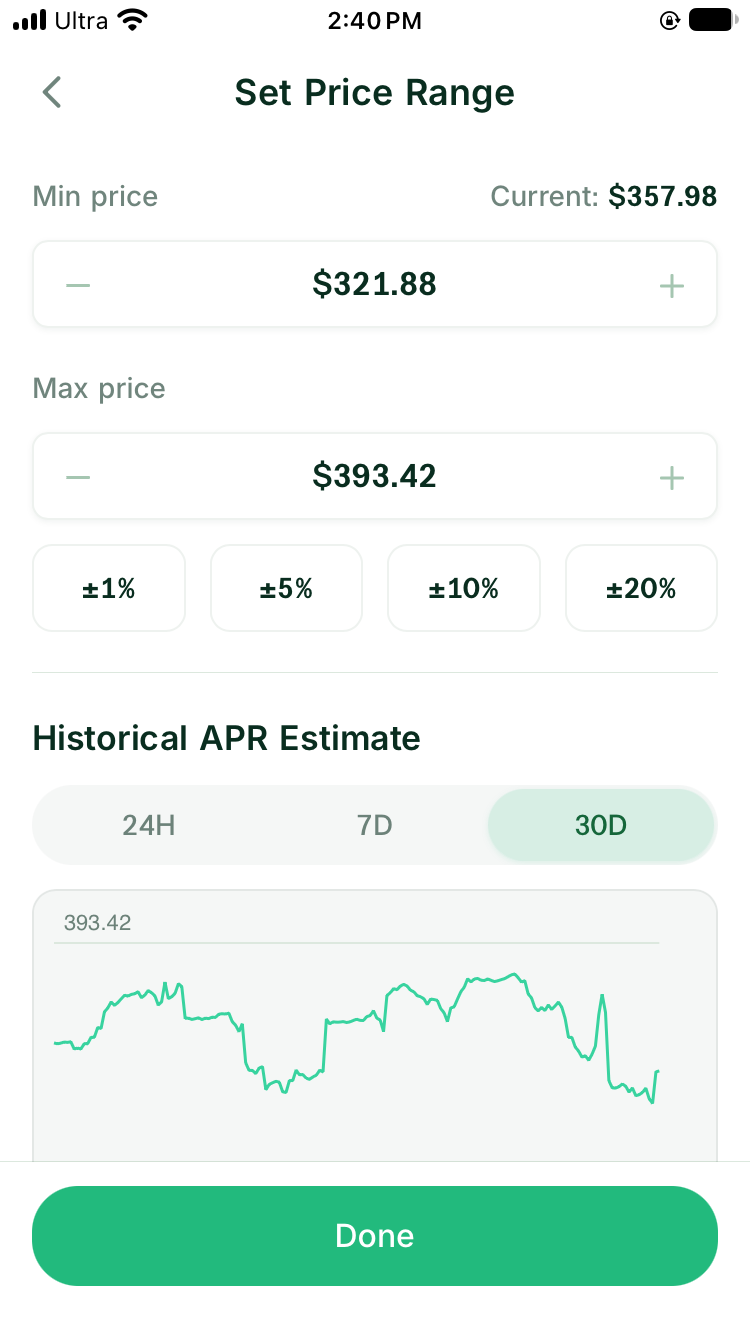
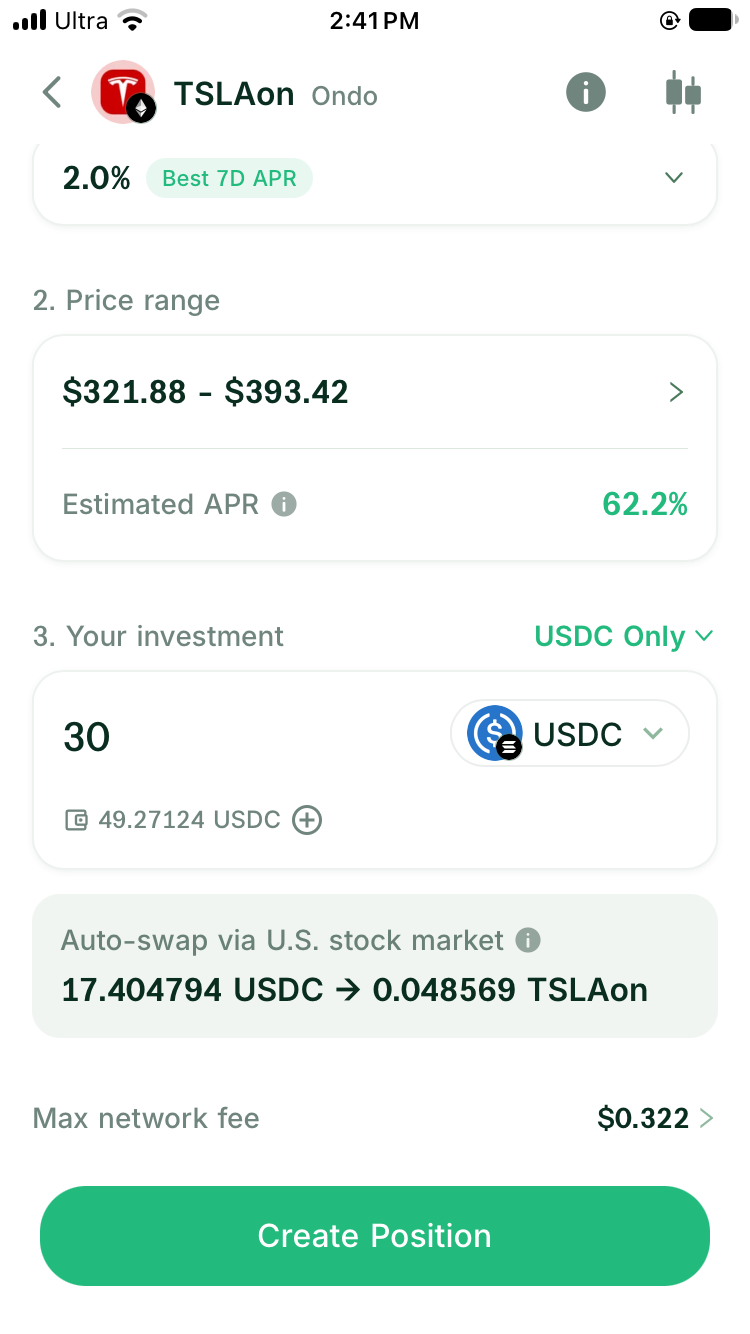
The price range is the lowest and highest price at which your position provides liquidity. While the current price sits inside the range, the position usually holds both the stock token and USDC and participates in nearby swaps.
As the price moves toward the upper bound, the position sells more stock tokens for USDC. Near the lower bound, it uses more USDC to acquire the stock token. Once the price moves outside the range, the position usually holds mostly one asset and stops earning fees in the same way until the price returns.
A narrow range concentrates more capital near the current price. With other conditions held constant, the position will usually receive more fees from trades near that price. The tradeoff is that a smaller price move can take the position out of range, where it stops participating in new swaps.
A wide range keeps the position active across a larger price move, but spreads the same capital across more prices. Suppose AAPLon is at $200 and you deposit the same 1,000 USDC. A $195 to $205 range places more liquidity near $200, but it goes out of range if the price reaches $206. A $160 to $240 range remains active at $206, but provides less liquidity near $200. With other conditions held constant, it will usually receive less of the fees generated by trades near that price. These figures explain the difference between ranges; they are not a current quote or recommended range.
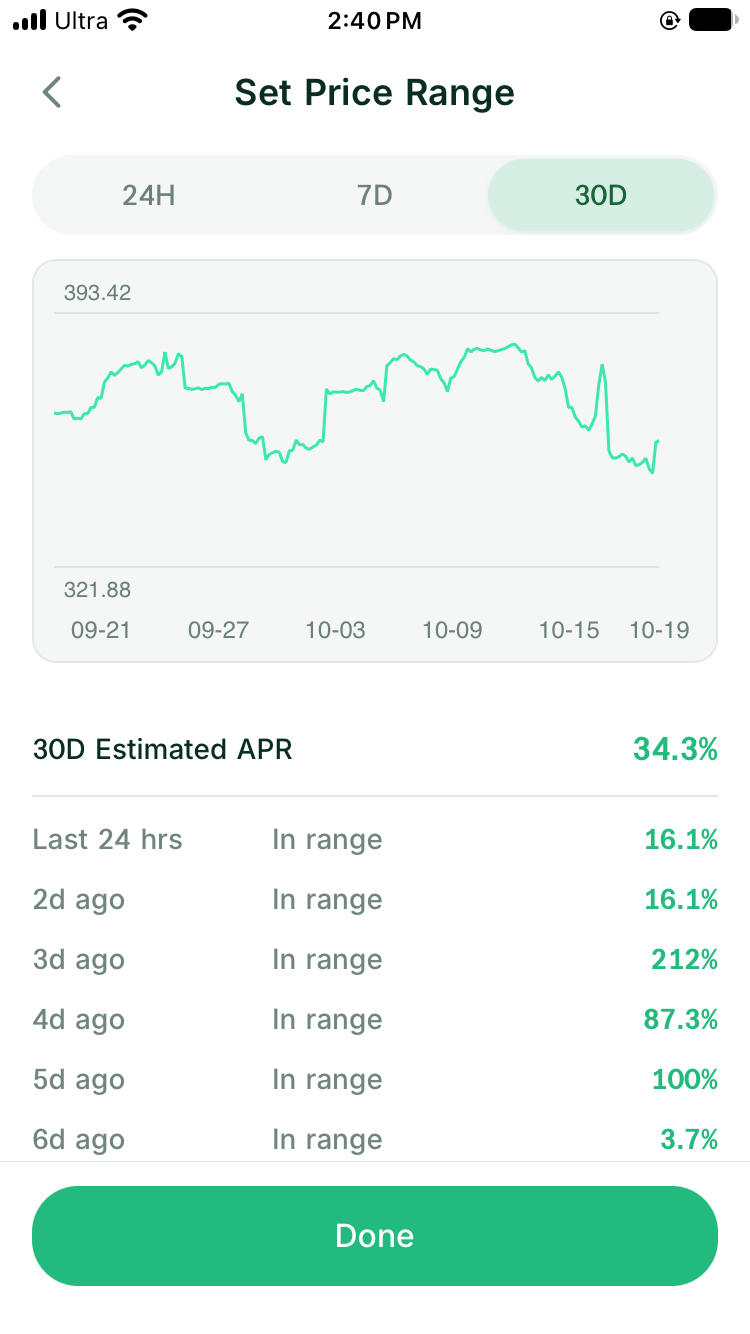
For a first position, choose a range you can understand and manage. Do not compress it only because a historical estimate rises.
Step 4: Enter one asset or both assets
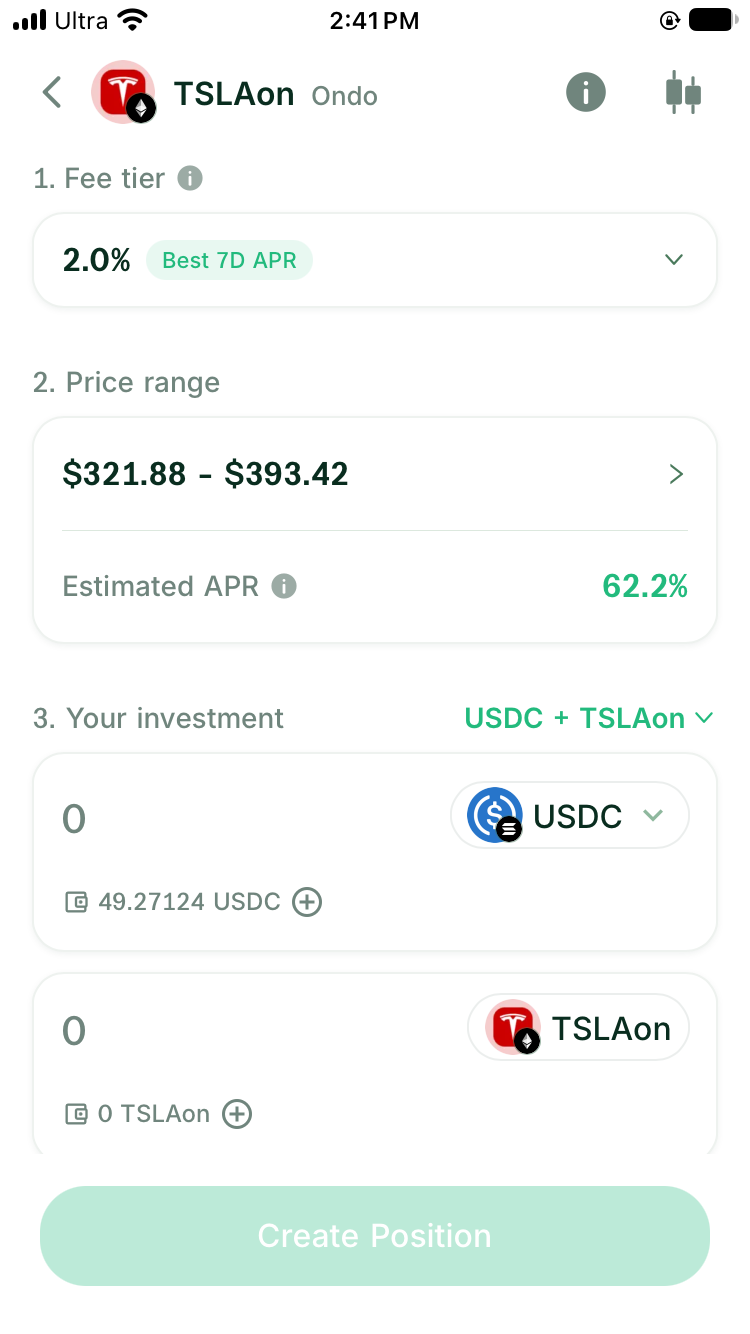
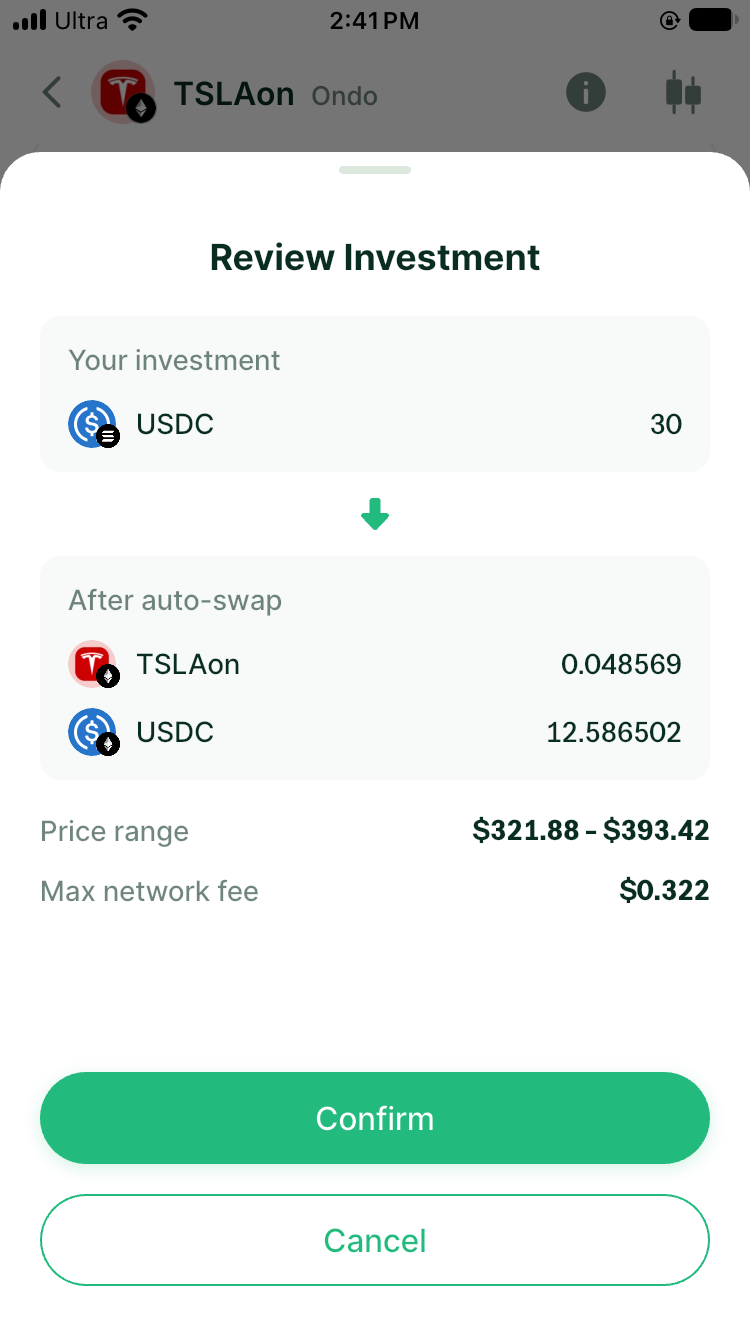
Choose USDC Only under Your investment when you hold USDC alone, then enter the amount you want to deposit. When a quote is available, a solver partner integrated with DeGate requests it through Ondo’s official interface. The flow uses part of the USDC to prepare the stock-token side. You start with one asset, but the LP receives both the stock token and USDC. On the input screen, Auto-swap via U.S. stock market shows the planned conversion. In Review Investment, After auto-swap shows the estimated amounts of both assets entering the position.
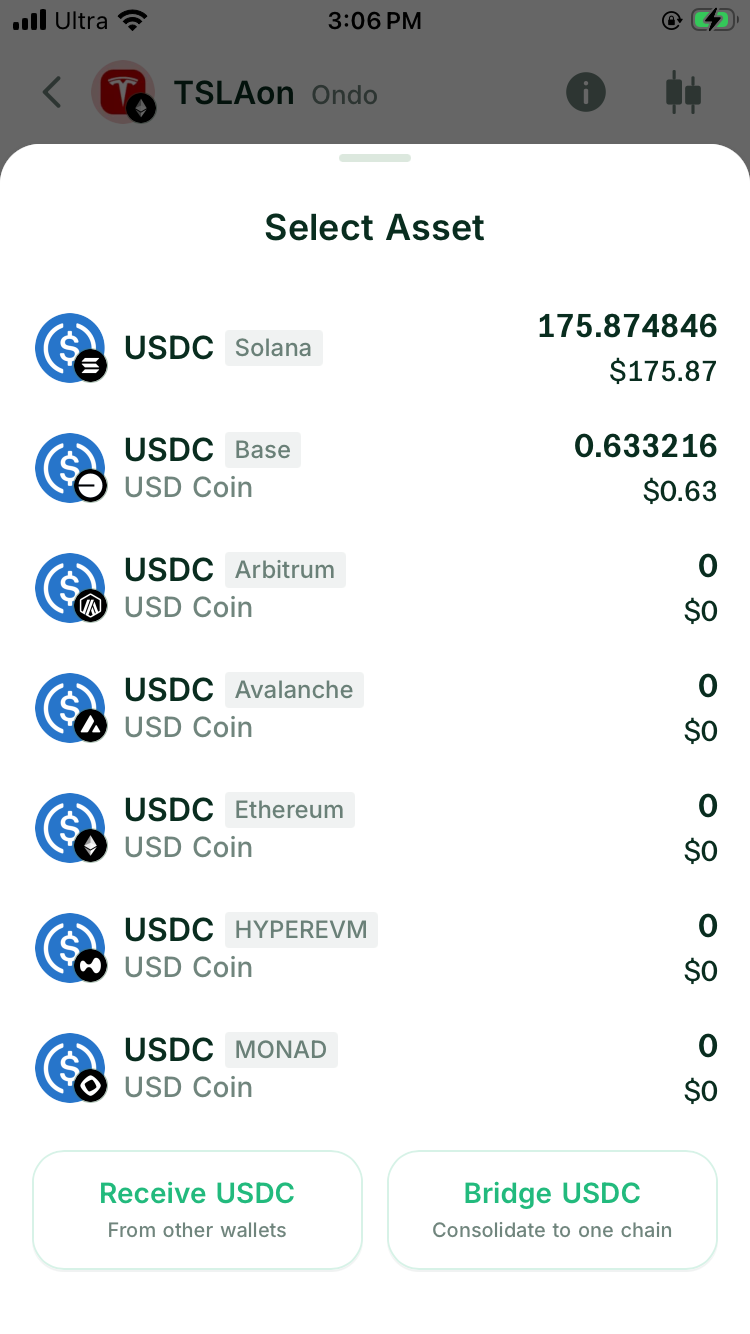
Select one USDC source network for the deposit. It does not have to match the stock token’s network. Turbo Range uses the balance from the network you select and does not automatically combine USDC held across several networks in one deposit.
Choose the two-asset mode, shown here as USDC + TSLAon, when you already hold both assets. The flow can use them directly if the amounts match the ratio required by your range. If one side is above that ratio, the preview may show an auto-swap for the excess.
Auto-swaps within Turbo Range do not incur DeGate’s 0.02% Swap fee. Network fees and any spread in the quote still apply. The auto-swap guide explains the fee treatment.
One-sided and two-sided funding describe what leaves your wallet, not a promise that the position will keep one or two fixed balances. Read One-Sided or Two-Sided Deposit: How Auto-Swap Works for a Stock LP for the full comparison.
Step 5: Read the final preview
Use the preview as a checklist for the complete position. Confirm:
- the stock token, USDC, and Ethereum network
- the fee tier and price bounds
- the asset and amount leaving your wallet
- any auto-swap and the quoted stock-token amount
- the original input and the estimated amounts after any auto-swap
- price protection, any spread in the conversion quote, and the network fee shown on the page
If the quote expires while you read it, refresh the preview before confirming. The replacement quote may return different amounts.
Step 6: Confirm the position
Review the stock token, deposit amount, price range, and fees on the confirmation screen. If they are correct, follow the on-screen prompt to approve and submit the transaction.
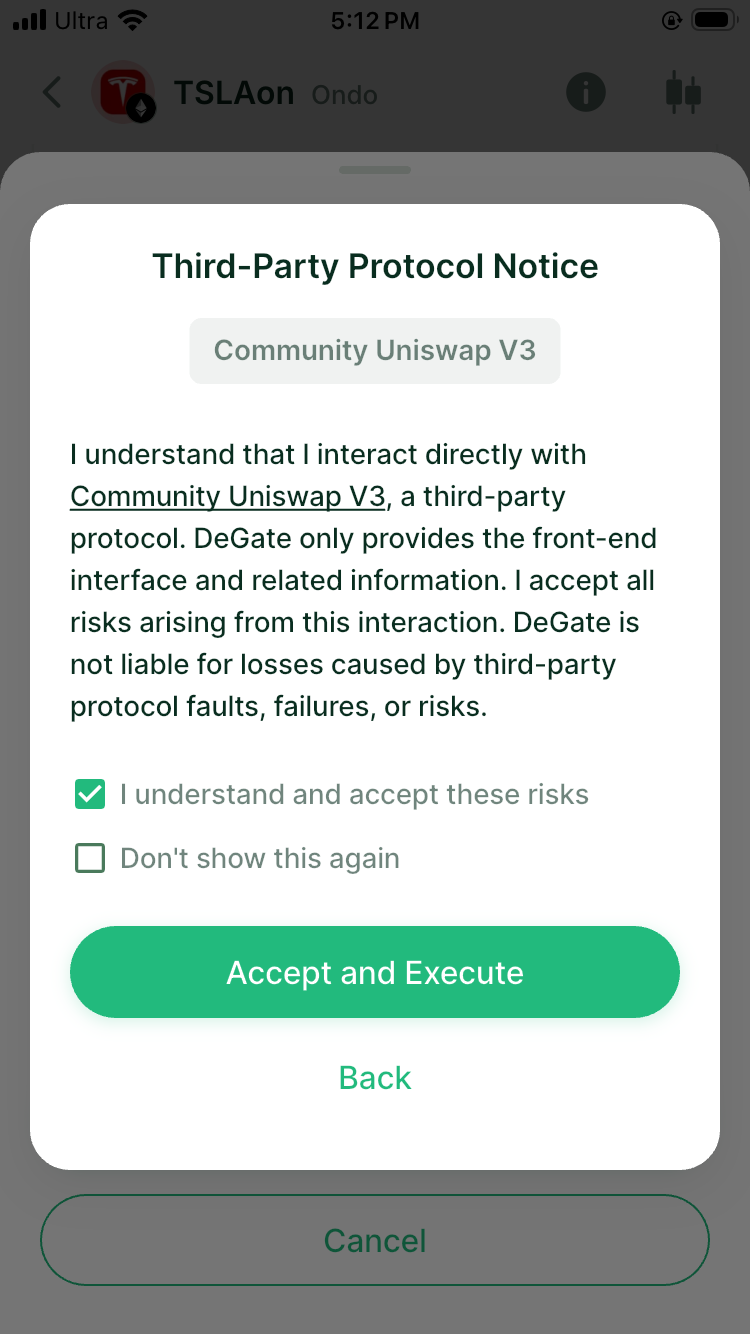
Before execution, Turbo Range may show a notice explaining that the position interacts directly with Community Uniswap V3 as a third-party protocol. Read and accept it, then complete the wallet verification shown on your device.
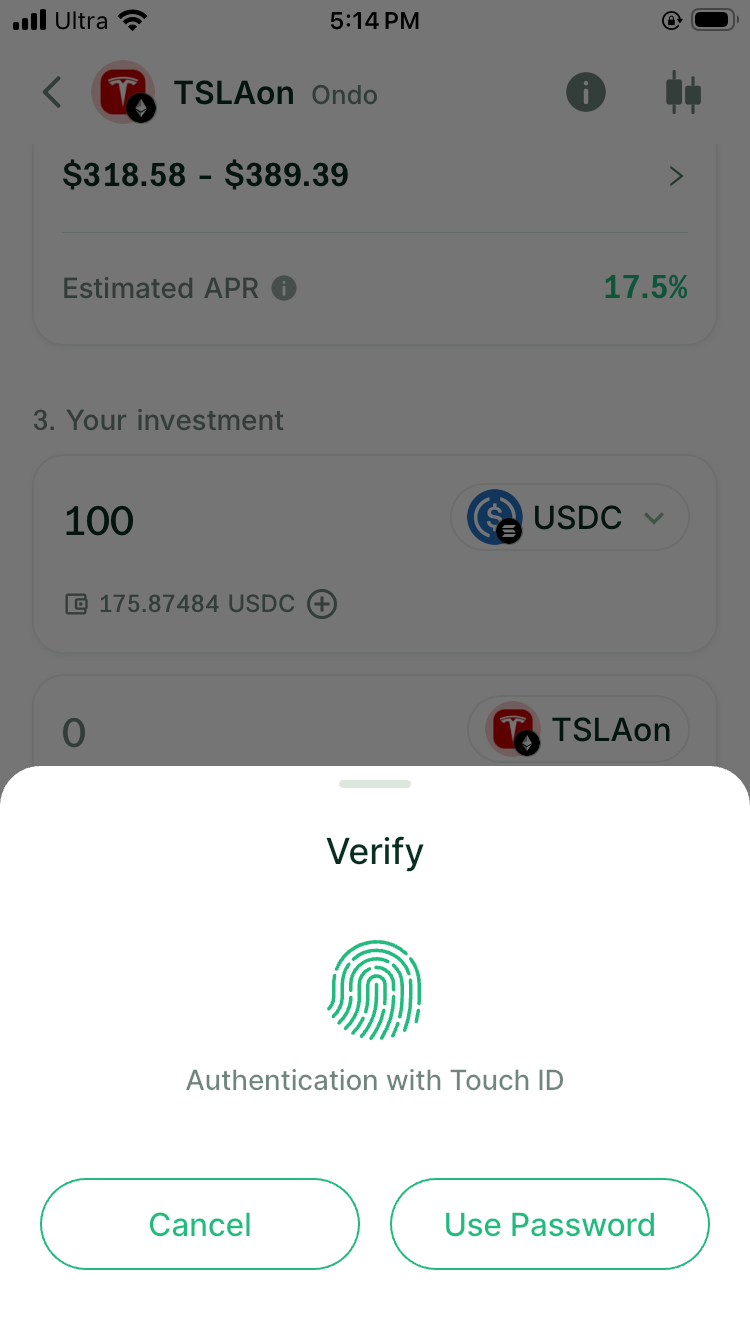
Wait for the operation to complete. A submitted request is not yet an open position. Check the success screen, position list, and on-chain status.
Step 7: Check the new position
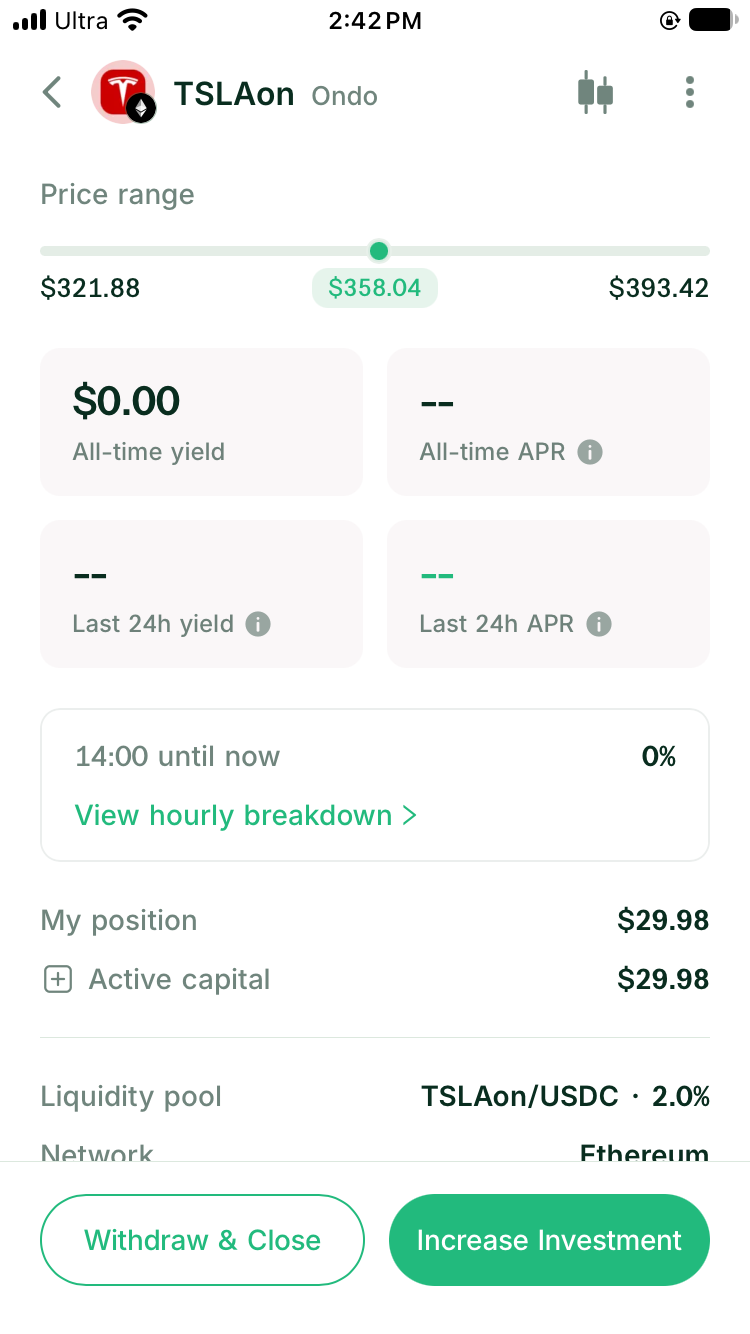
Open the position details and confirm that they match your choices:
- stock token and USDC
- fee tier
- lower and upper prices
- In Range or Out of Range status
- current amounts of both assets
- earned but unclaimed fees
- on-chain transaction record
Record the opening date, input assets and amounts, price, range, and network fee. Those numbers give you a better baseline than the current APR alone.
What to watch after opening
You do not need to adjust a new position every day, but you should know when to check it. Review the composition and range status as the stock approaches either bound, around earnings or dividend events, and during long US-market closures.
The Historical APR Estimate comes from past data. It is not a fixed interest payment. Claimable LP fees come from swaps that use your active liquidity.
Continue with How to Choose a Price Range for a Tokenized-Stock LP and How to Read a Historical APR Estimate for a Tokenized-Stock LP.
FAQ
Must I buy the stock token before opening a stock LP?
No. If you hold USDC only, enter one asset. When a quote is available, the position flow prepares the stock-token side and shows the final amounts before confirmation.
Must the USDC be on the same network as the stock token?
No. Select one available USDC source network for the current deposit. It can differ from the stock token’s network, but Turbo Range does not combine USDC balances from several networks in one deposit.
Do I need to choose whether to join or create a pool?
No. Turbo Range uses the same position flow. Select the asset, fee tier, range, and funding amounts; the product handles the underlying pool state when the position is submitted.
Can I change the fee tier or range after opening?
In the current version of Turbo Range, the original position cannot switch fee tiers or edit its range in place. To change either choice, close the position and open another one.
Why does the stock-token amount change after opening?
The position supplies swaps inside your chosen range. As the stock price rises, the pool sells stock tokens for USDC. As it falls, the pool uses USDC to acquire more stock tokens.
Sources
Facts on this page were last verified on October 19, 2026. Product capabilities, supported assets, and fees can change; the linked sources are the current record.