
How to Evaluate a Tokenized-Stock LP Before You Deposit
Task guide Last verified 2026-10-19 9 min read
When a stock LP shows a high APR, do not begin with the deposit amount. First work out how the position can change, what it may return when you close, and whether those outcomes fit your investment plan.
This guide follows one DeGate Turbo Range position through the entire review. You can replace its asset, amount, and range with your own choices.
The example used throughout this guide
Suppose you have 1,000 USDC and want to provide liquidity for AAPLon/USDC in DeGate because you are interested in Apple. The page shows:
| Item | Hypothetical input |
|---|---|
| Stock token | Ondo AAPLon on Ethereum |
| Paired asset | USDC |
| Current reference price | $200 per AAPLon |
| Price range | $180 to $220 |
| Fee tier | 0.3% |
| Historical APR Estimate shown on the page | 18% |
| Funding method | one-sided funding, with 1,000 USDC |
These numbers explain the review process. They are not the current market price, a live DeGate fee tier, or an expected return. Use the product screen and quote available when you open a real position.
The example appears complete: choose the stock, range, and APR, then deposit 1,000 USDC. Several questions remain.
1. Decide which closing result you can accept
Start with how the AAPLon/USDC position would work. The hypothetical $200 price sits inside the $180 to $220 range. Once the position opens, traders can exchange AAPLon and USDC around those prices.
If AAPLon rises toward $220, the pool gradually exchanges AAPLon for USDC. Closing may return more USDC and fewer AAPLon. You can earn trading fees while also selling part of the stock token as it rises.
If AAPLon falls toward $180, the pool gradually uses USDC to acquire more AAPLon. Closing may return more AAPLon and less USDC. Ask whether you still want to increase your Apple-linked exposure after a decline.
This first check can rule out the position. The range does not fit if you require the original AAPLon amount to remain intact during a rise or refuse to acquire more AAPLon during a decline.
2. Confirm that the pool contains the product you want
AAPL identifies the related stock; you still need to confirm the issuer and network separately. Another issuer may offer a different Apple-linked token.
Open DeGate Token Info and check the issuer, network, and contract address against Ondo’s official asset record. Continue with this example only if:
- Ondo is the issuer
- Ethereum is the network
- the AAPLon contract matches Ondo’s record
- the paired USDC uses the exact contract shown for the pool
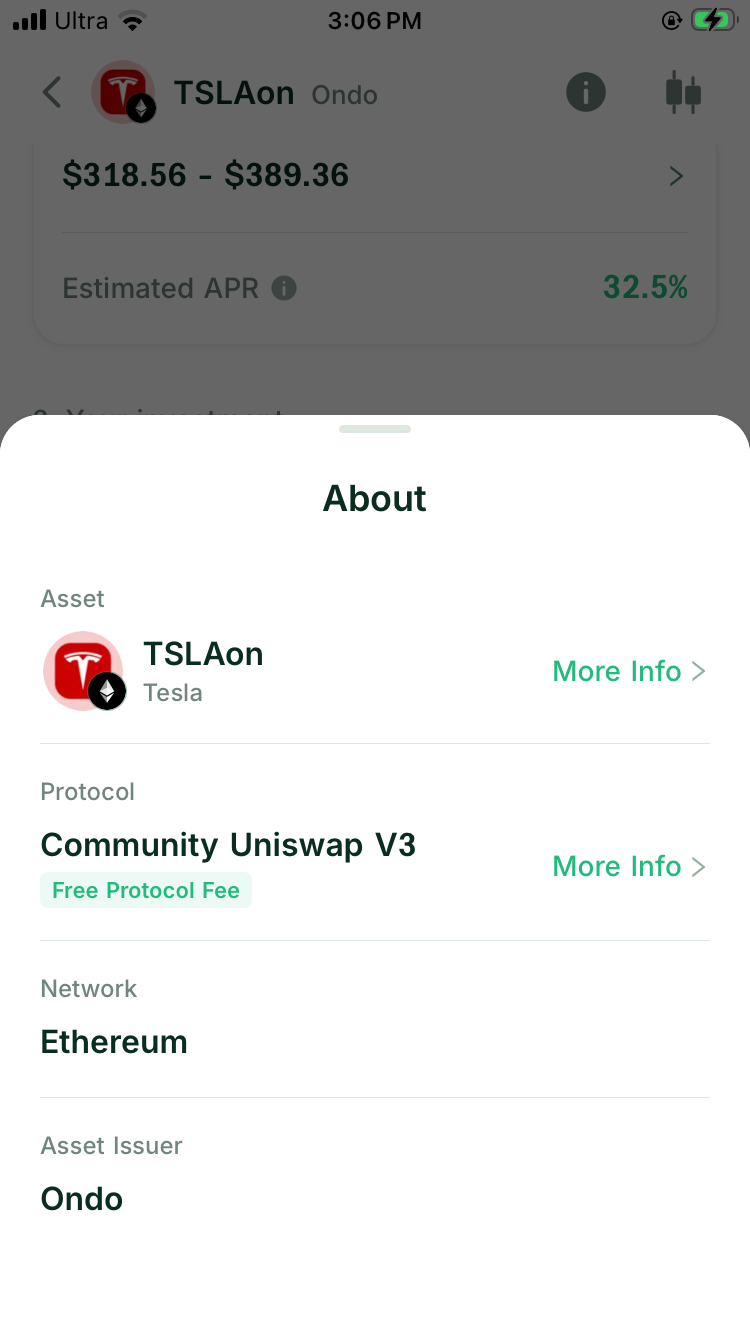
Read how Ondo handles dividends, splits, trading restrictions, and holder rights. Those terms still apply while AAPLon sits in an LP. The pool handles on-chain exchanges; it does not change what the token represents.
If you have not finished this review, use How to Verify a Tokenized Stock Before You Buy.
3. Check whether traders use the pool
Return to the AAPLon/USDC example and determine whether the pool already exists or you are about to create it.
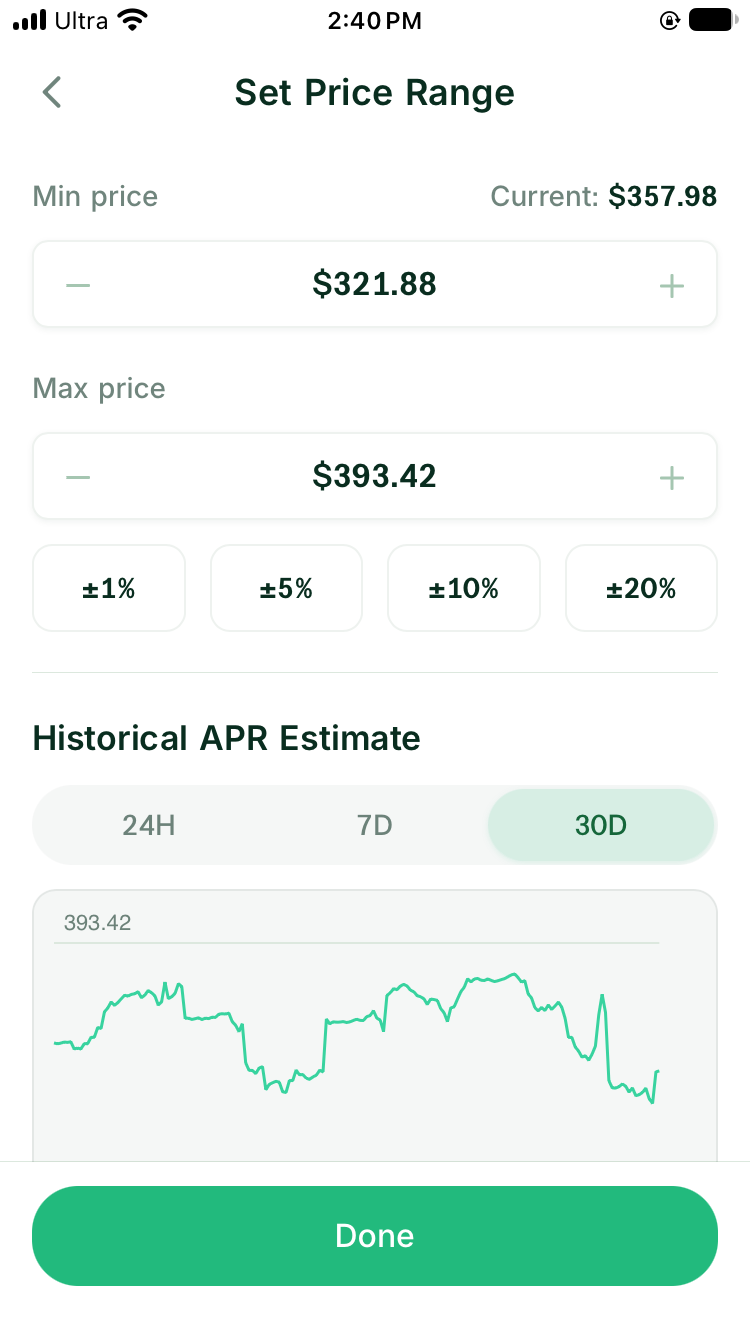
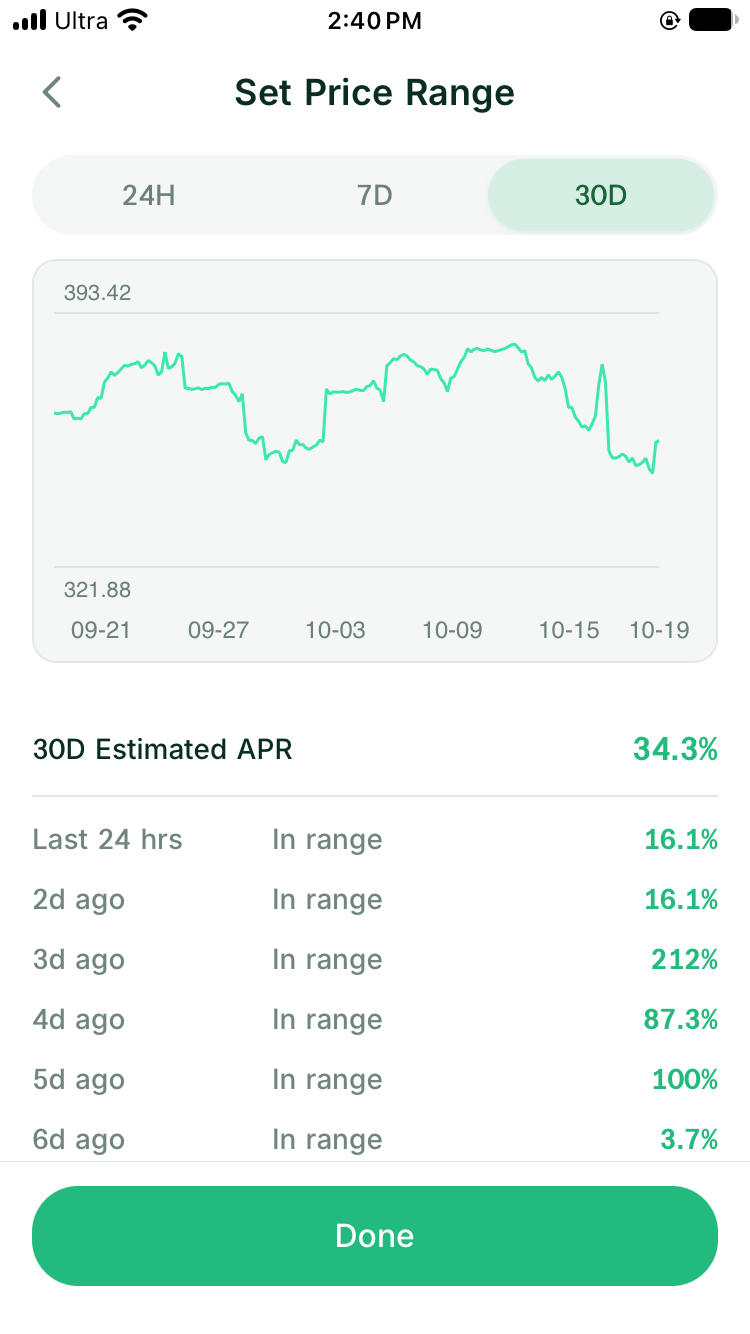
Separate two kinds of APR here. If a page calculates historical APR from fees earned by the pool, lower recent volume would normally affect the result. DeGate Turbo Range’s Historical APR Estimate backtests RFQ price data and calculates estimates even for pools that have not been created. It is not the realized historical APR of this AAPLon/USDC pool.
A route with little recent trading can still show an 18% model estimate. Check any available swaps, accumulated fees, and liquidity separately. The backtest can also appear when there is no realized pool fee history, although real fees begin only after swaps use the active liquidity.
| Pool state | What it means for the AAPLon/USDC example |
|---|---|
| Realized activity is available | Compare completed swaps and accumulated fees with the 18% model estimate |
| Little recent activity is available | The 18% may still appear because it comes from an RFQ price backtest; actual pool fees may be low |
| No realized pool fee history is available | The model estimate can still appear, but there are no completed pool fees to inspect |
4. Read 0.3% as a pool fee, not your return
The hypothetical 0.3% is the fee tier paid under the pool rules when a trader swaps through it. It does not pay you a fixed 0.3% on the 1,000 USDC deposit or promise 0.3% a year.
If another AAPLon/USDC pool uses a different tier, traders compare price, fees, and available liquidity. A higher tier collects more from each swap and raises the trading cost, which may send some trades elsewhere. A lower tier earns less per swap and needs more volume to make up the difference.
For this position, compare recent swaps and liquidity across the fee tiers available for the same AAPLon/USDC pair. The 0.3% figure becomes useful only alongside those records. How to Choose a Fee Tier for a Tokenized-Stock LP covers the decision in detail.
5. Test the $180 to $220 range against your plan
The range leaves $20 below and above the hypothetical $200 price. The numbers look symmetrical, but your investment view may not be.
Begin with the lower bound. Near $180, the position holds more AAPLon. Would you still want the Apple-linked asset, and can you accept more of the position moving into it? If not, a preset should not choose the lower bound for you.
Then consider the upper bound. Near $220, the position holds more USDC. If you want to keep all your AAPLon through a larger rise, that bound may be too close. It may fit if you already plan to exchange part of the position into USDC as the price rises.
Check the next earnings date, dividend event, and known US-market closures as well. You do not need an exact price prediction. You need to know which bound the price could approach quickly and whether you can review the position around that event.
6. Interpret the 18% Historical APR Estimate
The 18% can now enter the review.
A Historical APR Estimate annualizes a result modeled from a past period. You can use the same method to compare ranges. The return after depositing 1,000 USDC will depend on subsequent prices, trades, and range status, so an 18% estimate is not a promise of 180 USDC after one year.
Ask four questions about the estimate:
- Which historical period does it use?
- Does AAPLon/USDC have real swap and fee history, or does the system model the range from outside price data?
- How long did the $180 to $220 range stay active during that period?
- Does the estimate include network fees and other opening costs?
Suppose narrowing the range to $195 to $205 raises the displayed APR. Concentrating the capital may explain the increase, and a smaller price move can now take the position out of range. Return to the first check: which asset would you accept then?
Use the 18% to compare ranges calculated under the same method, not as a promise of future returns.
7. Follow how 1,000 USDC becomes both assets
The user in this example holds USDC only and chooses one-sided funding. Buying AAPLon manually is not a required step.
After you choose the $180 to $220 range, the system calculates the AAPLon and USDC needed for the position. When a quote is available, a solver partner integrated with DeGate requests it through Ondo’s official interface and uses part of the USDC to prepare AAPLon.
Ondo’s quote connects the tokenized asset to the price and liquidity of its corresponding stock in the traditional US market. The conversion therefore does not first depend on an Ondo on-chain pool having enough depth. The final AAPLon amount still comes from the preview for this 1,000 USDC input, range, and available limit.
Before confirming, Review Investment shows the 1,000 USDC under Your investment. When an auto-swap occurs, After auto-swap lists the estimated AAPLon and USDC amounts after the conversion. These are pre-submission estimates, so check the success screen and position details for the on-chain result. Do not assume a $500/$500 split. The current price’s location within the range affects the required ratio.
If you already hold AAPLon and USDC, enter both assets instead. Suitable amounts can enter without a conversion; an excess on one side may produce an auto-swap. One-Sided or Two-Sided Deposit: How Auto-Swap Works for a Stock LP explains both routes.
8. Put every cost back into the 1,000 USDC decision
For this position, review any spread in the AAPLon conversion quote and the network cost shown in the preview. Auto-swaps within Turbo Range do not incur DeGate’s 0.02% Swap fee. The pool fee tier applies to swaps through the pool and is separate from these funding costs. The auto-swap guide explains the exemption.
If the Historical APR Estimate looks attractive but opening costs are large relative to the 1,000 USDC deposit, the position needs more time and pool activity to recover them. This check has a greater effect on a small position.
The DeGate review shows the original input and the amounts after any auto-swap. Network fee details show the estimated cost of the operation. Where gas sponsorship applies, you do not need to obtain ETH in a separate step, but you still pay the network fee. Put these amounts back into the 1,000 USDC decision instead of relying on the APR at the top of the page.
9. Plan how to end the position
Suppose AAPLon later rises above the range and you close. In the current version of Turbo Range, closing returns the AAPLon and USDC held by the position without automatically swapping the full result into USDC.
If AAPLon instead falls below the range, closing may return more AAPLon. Both outcomes follow from the $180 to $220 range. The assets did not disappear; the pool exchanged them while serving trades.
Before opening, check how to claim uncollected fees, the network fee for closing, and whether you plan to keep any returned AAPLon. If you require USDC at the end, include the later conversion and its cost in your plan.
Make the decision for this example
The hypothetical position can now lead to two different decisions.
Proceed if you confirmed the AAPLon issuer and contract, accept acquiring more AAPLon near $180 and exchanging some into USDC near $220, find enough pool activity, and judge the 0.3% tier to be competitive. You also understand that 18% is a historical estimate and accept the one-sided funding quote, costs, and closing assets.
Pause if you cannot verify the token, the pool has almost no recent swaps, or you reject the asset change at either bound. The 18% display does not solve any of those problems.
Reuse the review for another position
Before confirming a stock LP in DeGate, check each line:
- The issuer, network, and contracts match the token you want.
- You accept the assets the position can hold near either range bound.
- The page identifies the pool as existing or new.
- Any realized swap, liquidity, and fee data shown is sufficient for your review.
- The fee tier and price range make sense together.
- You know whether the APR comes from pool history or a historical model.
- The one-sided or two-sided funding review shows the original input and the estimated amounts after any auto-swap.
- The page separates opening costs, network fees, and assets returned on close.
Continue with How to Create a Liquidity Pool for a Tokenized Stock or How to Open Your First Tokenized-Stock LP Position.
FAQ
What should I check first on a stock LP page?
Check which asset the position will hold near each range bound. Once you accept both outcomes, review the token, pool, fee tier, and APR.
Is a high Historical APR enough reason to deposit?
No. It describes a past period or historical model. Your result also depends on future pool swaps, active range, competing liquidity, costs, and price movement.
Can I evaluate a pool that has not been created yet?
You can review its pair, starting price reference, fee tier, range, and opening deposit. You cannot inspect real pool volume or fee history until the pool exists and traders use it.
Must I buy the stock token before opening a DeGate LP?
No. If you hold USDC only, enter one asset in Turbo Range after setting the fee tier and price range. The system calculates how much AAPLon and USDC the position needs. When a quote is available, a solver partner integrated with DeGate uses Ondo’s official interface to prepare AAPLon from part of the USDC.
Before submission, Review Investment shows your original USDC input. When an auto-swap occurs, After auto-swap also shows the estimated stock-token and USDC amounts after the conversion. Buying the stock token first remains optional. It may suit you if you want to hold it separately or plan to use two-sided funding.
Sources
Facts on this page were last verified on October 19, 2026. Product capabilities, supported assets, and fees can change; the linked sources are the current record.