
How Turbo Range Handles a New Tokenized-Stock LP Pool
Task guide Last verified 2026-10-19 6 min read
Turbo Range uses the same LP flow whether the required stock-token pool already has activity or needs to be initialized. The user selects the token, fee tier, price range, and funding amounts. The product handles the pool state in the background when the position is submitted.
There is no separate “join pool” or “create pool” choice in the interface. This matters because the checks a user performs should focus on the position being opened, rather than trying to determine which technical branch the product will use.
Step 1: Check whether the asset supports the LP flow
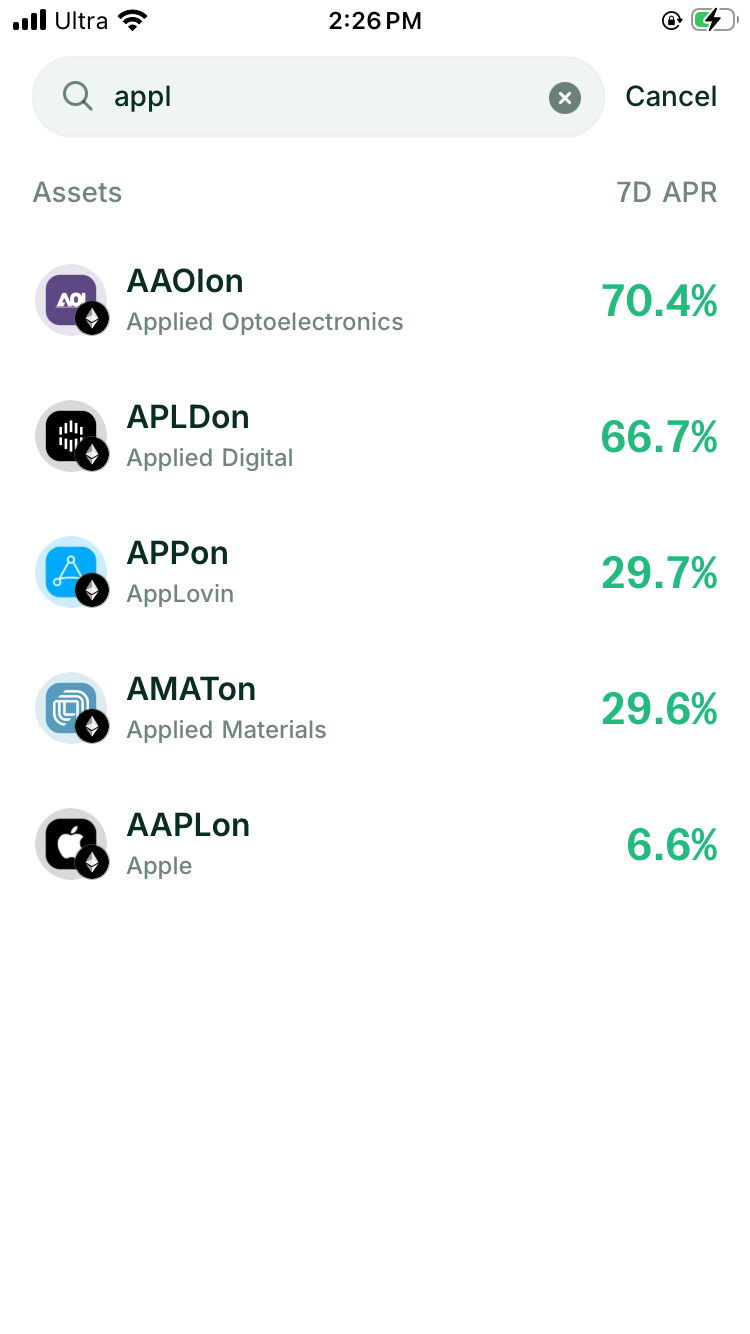
The current Turbo Range stock LP scope covers eligible Ondo assets on Ethereum that DeGate Trade supports. Each position pairs one eligible stock token with USDC.
Start from the exact asset page or search result. Confirm:
- the issuer is Ondo
- the network is Ethereum
- the stock-token contract matches Ondo’s official record
- the paired asset is the USDC contract shown by DeGate
Users can trade stock tokens through several networks and routes in DeGate. A working Trade quote does not by itself establish Turbo Range eligibility. Open Turbo Range and check whether the exact asset appears in its current list.
Step 2: Choose the fee tier and price range
The fee tier sets the percentage paid by swaps that use the pool. Turbo Range currently shows the available tiers on the setup page. Compare them with the Historical APR Estimate and any live activity shown for the asset.
Then choose the lowest and highest stock-token prices at which your position should trade. A narrower range concentrates more capital near the current price but can become inactive after a smaller move. A wider range covers more prices and places less of the same capital near the current price.
The Historical APR Estimate is a backtest for the selected settings. It can appear even when the route has little or no realized pool fee history, so do not read it as fees already earned.
Step 3: Enter one asset or both assets
If you hold USDC but no stock token, select USDC Only and enter the amount. Turbo Range calculates the stock-token and USDC amounts required by the selected range. When a quote is available, the flow uses part of the USDC to prepare the stock-token side.
For the USDC input, select one available source network. The source network can differ from the stock token’s network, but balances from several USDC networks are not combined in one submission.
If you already hold the stock token and USDC, select the two-asset mode, such as USDC + TSLAon, and enter both amounts. The preview shows whether the supplied amounts fit the position ratio or whether an excess needs an auto-swap.
You do not need to buy the stock token on the separate Swap screen before starting the LP flow.
Step 4: Review the position before confirming
The Review Investment screen shows the original input. When an auto-swap is required, After auto-swap shows the estimated stock-token and USDC amounts that will enter the position. It also shows the selected price range and maximum network fee.
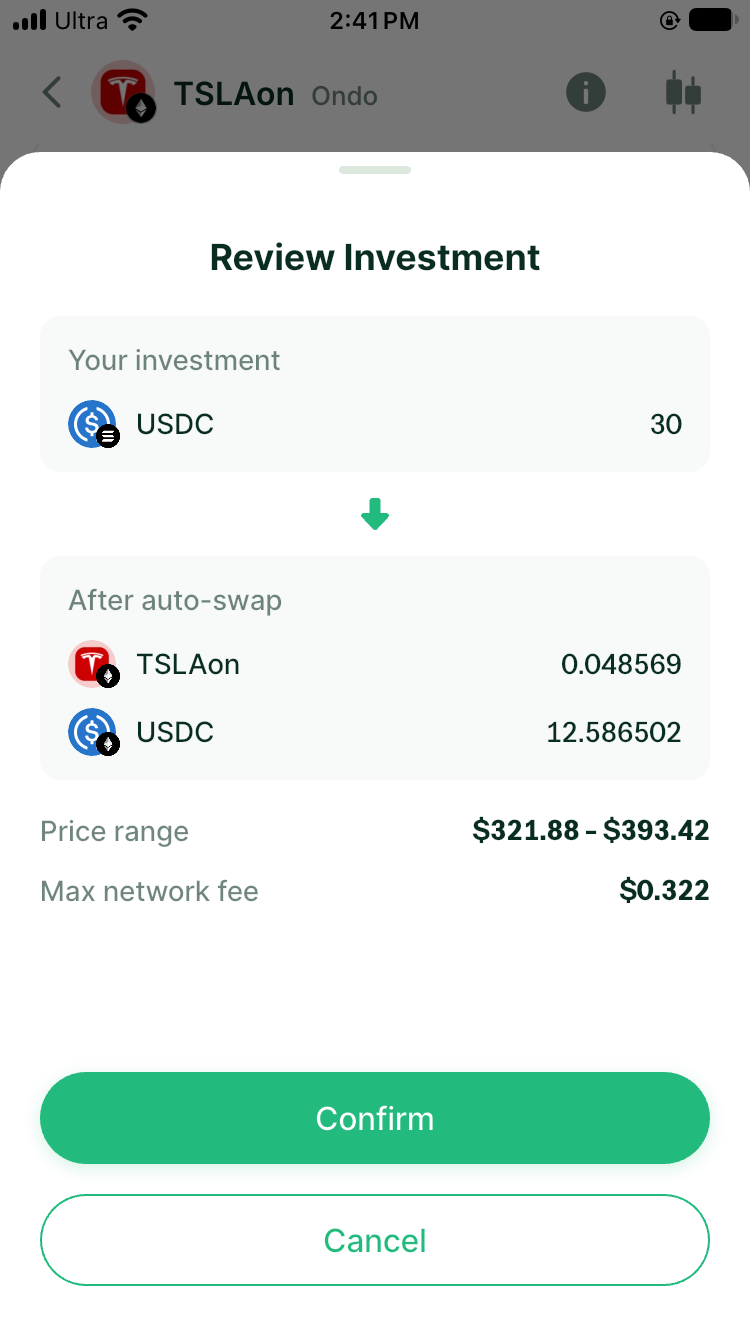
Check the following before confirming:
- stock token and USDC
- Ethereum network
- fee tier
- lower and upper price
- original funding amount
- amounts after any auto-swap
- maximum network fee
The screen does not ask whether to join or create a pool. Confirm the position details shown for the transaction in front of you.
Step 5: Accept the protocol notice and verify
Turbo Range provides the interface for setting up and managing a liquidity position that interacts directly with Community Uniswap V3, the third-party protocol identified in the notice. Before execution, read the notice and open the linked protocol information if you need more detail about where the position will be created. If you agree to proceed, accept the notice when prompted.
After confirmation, complete the wallet verification shown on your device. Verification authorizes the submitted action; it does not change the fee tier, range, or funding amounts already reviewed.
Step 6: Follow the creation status
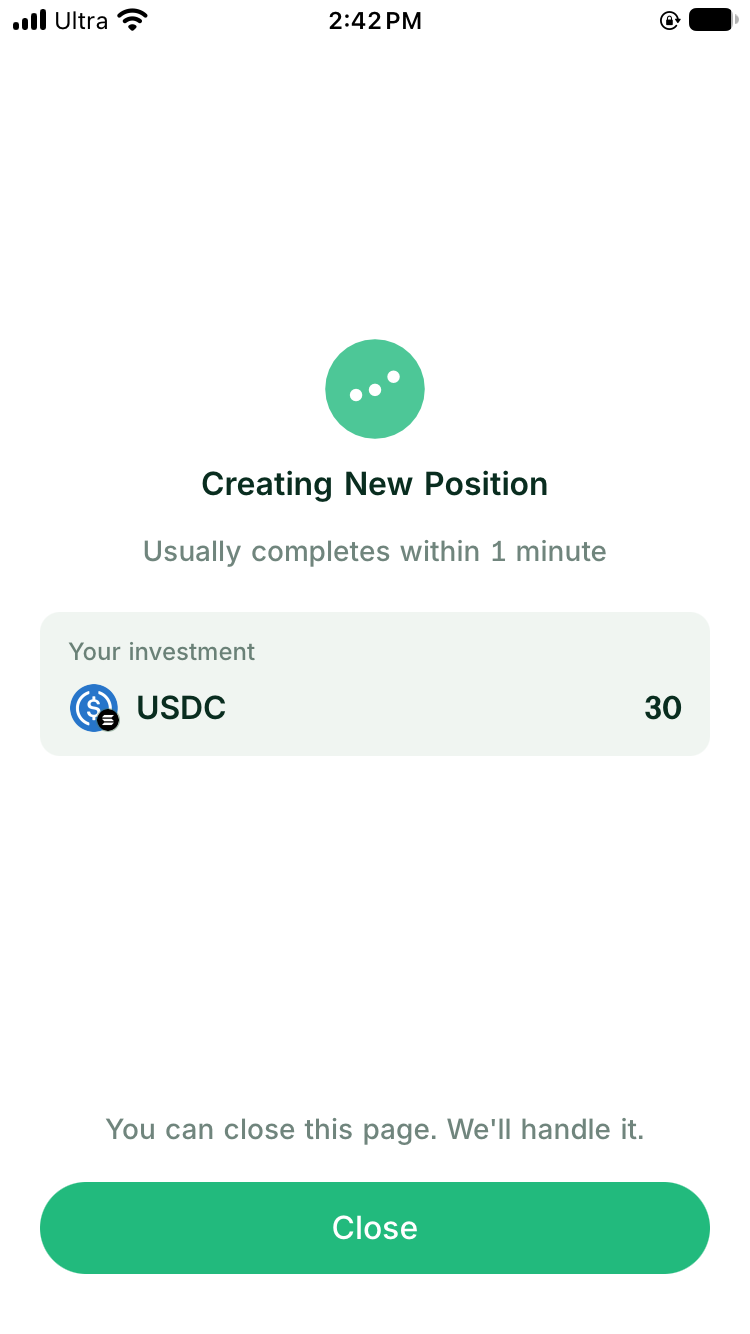
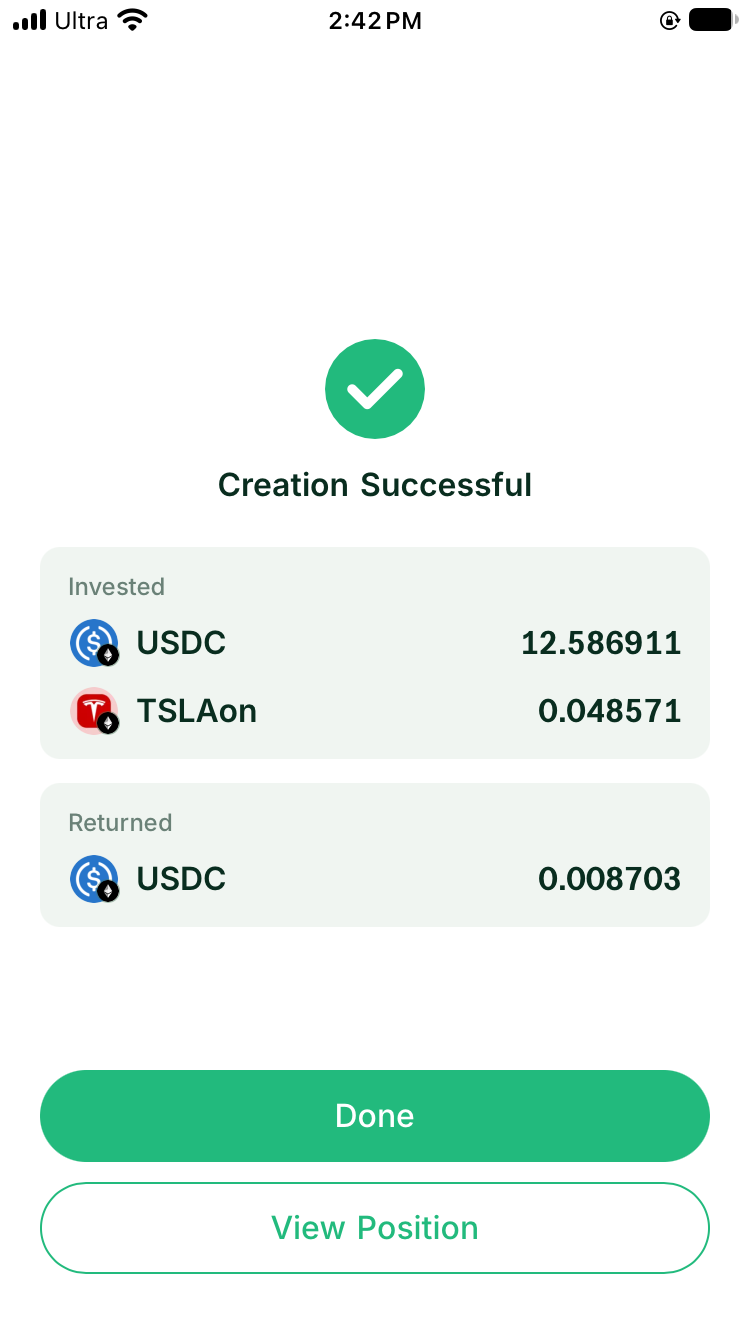
After verification, DeGate shows Creating New Position. The page can be closed while the operation is processing. Treat the position as open only after the success state appears.
Step 7: Check the resulting position
Open View Position after success and verify:
- the stock token and USDC pair
- fee tier and Ethereum network
- current price and selected range
- position value and active capital
- all-time and recent yield fields
- the position history entry
A newly opened position may show zero yield or unavailable APR fields until enough activity and time have accumulated. That is consistent with a position that has just been created.
Continue with How to Open Your First Tokenized-Stock LP Position and One-Sided or Two-Sided Deposit: How Auto-Swap Works for a Stock LP.
Understand what the product handles in the background
A concentrated-liquidity position needs an on-chain pool for its token pair and fee tier. If that pool needs initialization, Turbo Range handles it as part of the same position submission. The user does not choose a separate product mode.
An Ondo quote can provide the current outside price reference and prepare the stock-token side for a USDC-only input. If the required quote is unavailable, the position cannot proceed until the preview becomes executable again.
The first successful position for a pool supplies its opening liquidity. That technical fact does not change the user flow, but it affects how much realized history is available. Fees begin only when swaps use active liquidity. A Historical APR Estimate remains a model, not evidence that the pool has already produced those fees.
FAQ
Do I choose between an existing pool and a new pool?
No. Turbo Range presents the same position flow. Select the asset, fee tier, range, and funding amounts. The product handles the required pool state when it submits the position.
Can I open a stock LP position for any token shown in DeGate?
No. The current stock LP flow covers eligible Ondo assets on Ethereum shown in Turbo Range. A token that can be held or traded does not automatically qualify for LP use.
Do I need to hold the stock token first?
No. If you hold USDC only, enter it in the setup. When a quote is available, the flow prepares the stock-token side and shows both resulting amounts before confirmation.
Why might the position be unavailable during a US-market closure?
A USDC-only input requires an executable quote to prepare the stock-token side. The route may also need a current outside price reference. If that information is unavailable, Turbo Range shows an error and asks the user to try again later.
Does a successful position begin earning fees immediately?
The position can earn fees only when swaps use its active liquidity. Opening the position alone does not guarantee trading activity or a particular return.
Sources
Facts on this page were last verified on October 19, 2026. Product capabilities, supported assets, and fees can change; the linked sources are the current record.