
You can create, import, and manage multiple recovery phrase wallets in one DeGate mobile app, then switch between them. Each newly created wallet has its own set of 12 recovery words. For example, you could use one wallet for everyday trading and another for longer-term holdings without installing a second app.
How do I create another recovery phrase wallet?
Open the wallet list and select Create wallet. The app generates a new 12-word recovery phrase on your device. Complete the backup steps, then give the wallet a name you can recognize. To add a wallet you already have, choose Import wallet. Back up the new phrase separately from the old one: each phrase restores a different wallet and its assets.
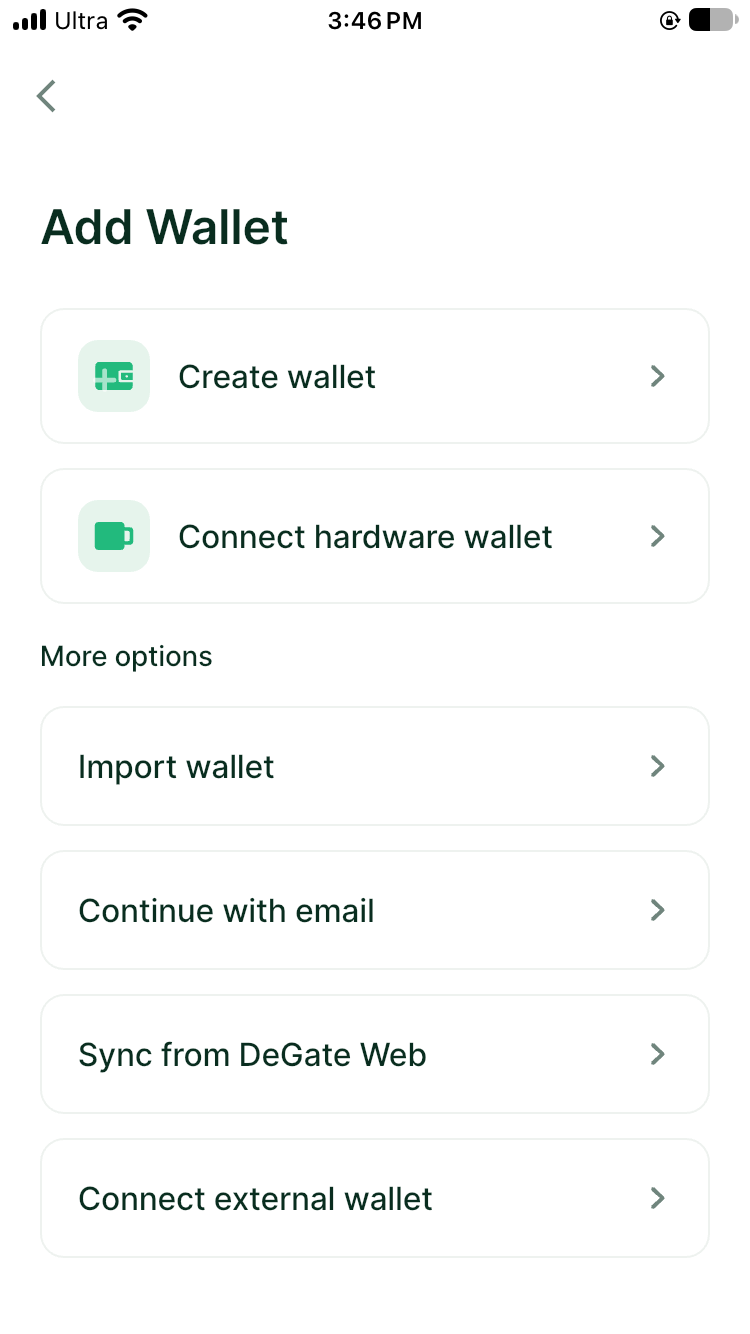
App screenshot, 6 November 2026: Add Wallet menu.
How do I switch between wallets?
Select a wallet from the wallet list. The app will show that wallet's addresses and balances on the relevant networks. Before receiving, sending, or trading, check the selected wallet name and address. Supported hardware-wallet accounts can also be managed in the app after connection; their private keys remain on the device. See hardware wallets.
Does switching networks create a new wallet?
No. Switching networks lets you view the same wallet's assets on another chain. Creating a wallet generates a separate recovery phrase. A recovery phrase wallet uses the same EVM address on Ethereum, Base, Arbitrum, and other EVM networks, but balances are recorded separately on each chain. Solana, Aptos, and Bitcoin use their own address formats. When receiving an asset, select the network before copying the address shown in the app.
Which networks does DeGate support?
DeGate currently supports 17 mainnets: Ethereum, Solana, Base, Arbitrum, Optimism, Polygon, BNB Smart Chain, Avalanche, Aptos, Bitcoin, Linea, Sonic, Worldchain, xLayer, HyperEVM, Monad, and Robinhood Chain. Select the exact network and token in the app before receiving or sending an asset.